Uninstall apps.
Every last file.
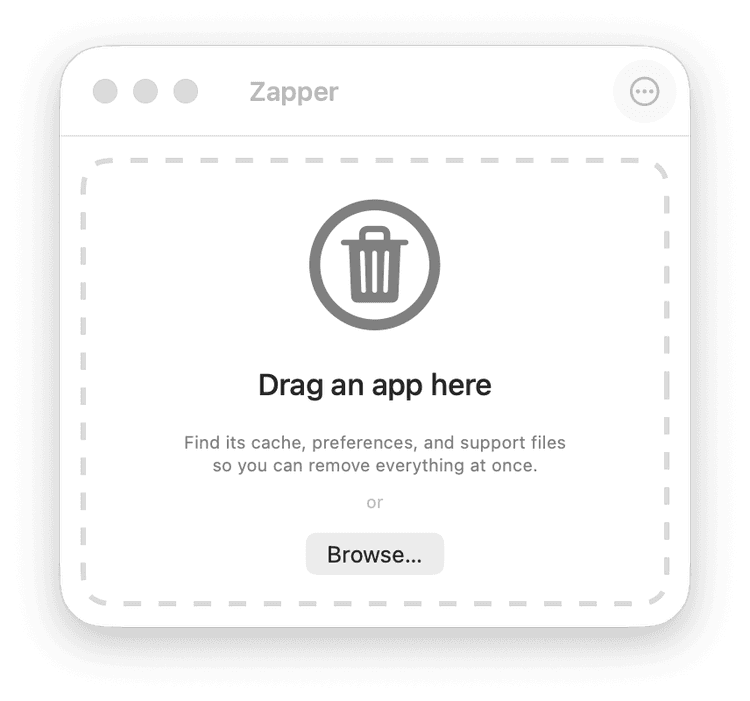
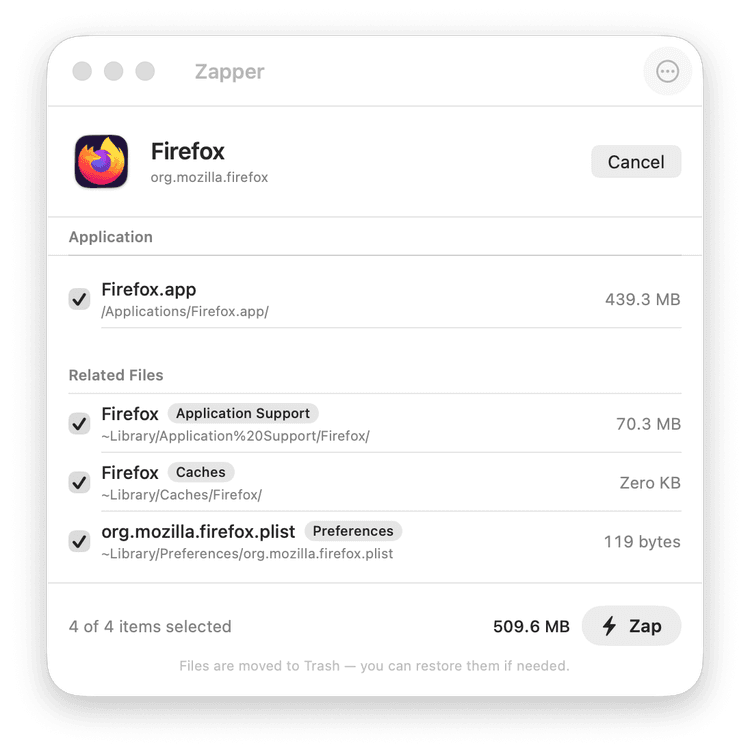
macOS leaves behind hundreds of hidden files when you delete an app. Mac Zapper finds them all and moves them to Trash.
How it works
Thorough by design
Deep Library scan
Searches Caches, Preferences, Application Support, Containers, and 7 more directories — concurrently.
Smart matching
Word-boundary matching prevents false positives. 'utm' won't match 'inputmethod'.
Trash, not delete
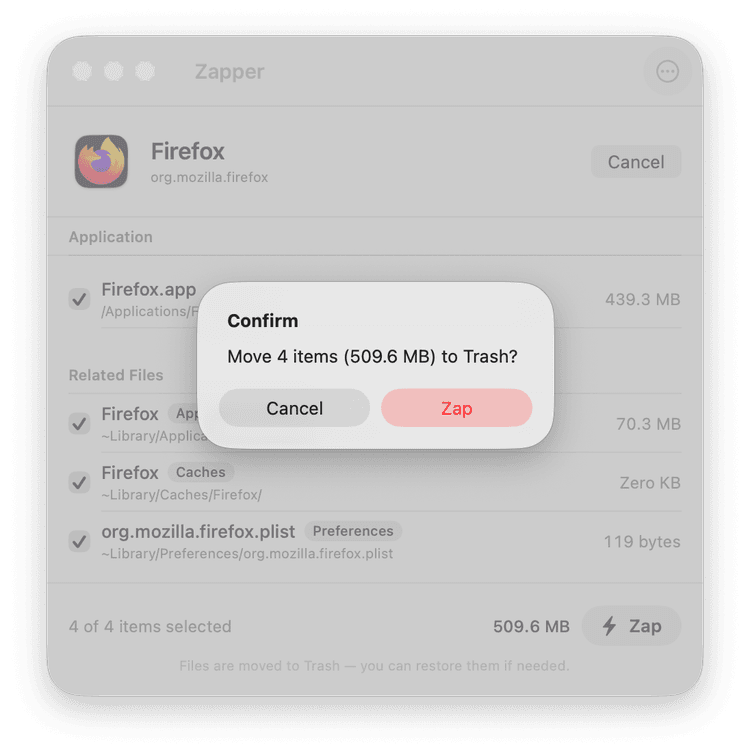
Files move to Trash so you can restore with ⌘Z. Nothing is permanent until you empty Trash.
System protection
Blocks removal of system apps and protected files. Mac Zapper can't break your Mac.
Full Disk Access aware
Detects if it can access all Library folders and alerts you if permissions are missing.
Zero dependencies
Native Swift and SwiftUI. No Electron, no web views, no bloat. Lightweight and fast.
What Mac Zapper finds
Real scan results from popular apps. These files stay on your disk after a normal "drag to Trash" uninstall.
42 leftover files found
~/Library/Application Support/Slack
~/Library/Caches/com.tinyspeck.slackmacgap
~/Library/Saved Application State/com.tinyspeck.slackmacgap.savedState
28 leftover files found
~/Library/Containers/com.docker.docker
~/Library/Group Containers/group.com.docker
~/Library/Application Support/Docker Desktop
35 leftover files found
~/Library/Caches/com.spotify.client
~/Library/Application Support/Spotify
~/Library/Preferences/com.spotify.client.plist
Why pay $14.99 when AppCleaner is free?
AppCleaner is decent for simple apps. But modern apps — Electron apps, developer tools, apps with extensions — leave files in places AppCleaner doesn't look.
Group Containers — often missed
Apps with extensions (like iMessage plugins, Finder extensions) store data in ~/Library/Group Containers. AppCleaner doesn't scan here. Mac Zapper does.
group.com.docker, com.apple.mail.shared
LaunchAgents — the hidden runners
Background daemons in ~/Library/LaunchAgents keep running after you delete the main app. Zoom, Dropbox, and others install these. Only deep scans catch them.
us.zoom.xos.ZoomOpener.plist
Bundle ID matching
Spotify files are named com.spotify.client, not "Spotify". Simple name matching misses them. Mac Zapper uses word-boundary matching to find bundle ID references.
com.spotify.client.plist
Word-boundary safety
AppCleaner can return false positives — matching "utm" inside "inputmethod". Mac Zapper requires word boundaries, so it finds more without risking files from other apps.
Match boundaries: . - _ space or string edge
One price. Yours forever.
No subscriptions. No recurring fees. Pay once, use on up to 3 Macs.
One-time purchase
Pay once. Keeps your Mac clean forever.
- ✓Activate on up to 3 Macs
- ✓All future updates included
- ✓Scan apps for free — pay to zap
- ✓Native Swift — no Electron, no bloat
- ✓30-day money-back guarantee
Secure checkout via Stripe
or try free first